[Today’s Coding] Step8. Backend - Redis Write-Through Caching processing
3min[Today’s Coding] Step7. Backend - Implementation of table creation and search functions using JPA
5min[Today’s Coding] Step6. Backend - Apply Swagger and modify ERD
5min[Today’s Coding] Step5. Frontend - Creating a main page carousel
2min[Today’s Coding] Step4. Frontend - Setting up Thymeleaf Layout
3min[Today’s Coding] Step7. Backend - Implementation of table creation and search functions using JPA
‘Today’s Coding’ mailing service made with JAVA 17, Spring Boot 3.0.2, Gradle, MySQL, and Redis

I tried to write a blog post by tying the main page into one Step, but I thought it would be easier to bring the list of services shown at the bottom to the backend and process the front end at once rather than just creating the front end, so I divided the steps into the back end to explain adding data to the back end and setting up Redis.
First, create a table using JPA Entity and create a Repository.
Using JPA, tables can be set up with code rather than directly created with MySQL. JPA allows us to do more code-focused development rather than SQL-based development. Let’s actively utilize JPA. First, add dependencies to build.gradle to create the table.
implementation 'org.springframework.boot:spring-boot-starter-data-jpa'In application.yml, ddl-auto is set to create so that the table can be automatically created according to entity conditions. Currently, it is set to create when running each server because it is in the local development stage and the table contains data that can be lost. However, in the future, setting ddl-auto to create on a test server or operation server may cause problems in testing or operation, so you must check the conditions and process update or none.
spring:
jpa:
show-sql: true
hibernate:
ddl-auto: create
Next, the Entity is created based on the ERD set previously, and the code set in the User Entity section is attached. @Entity - Specifies that the file is an Entity with an annotation @Table - Creates and maps the same table as the entity class name @Getter, @Setter - If you do not use Lombok, you have to create unnecessary getter and setter methods, but this is a very convenient function. @NoArgsConstructor - Annotation to create a default constructor.
package com.toco.trialService.entity;
import jakarta.persistence.*;
import lombok.*;
import java.time.LocalDateTime;
@Entity
@Table(name="LOG")
@Getter
@Setter
@NoArgsConstructor
public class Log{
@Id
@Column(name="ID")
@GeneratedValue(strategy = GenerationType.IDENTITY)
private Long id;
@Column(name="USER_ID")
private Long user_id;
@Column(name="LOG")
private String log;
@Column(name="TYPE")
private String type;
@Column(name="CREATED_DATE")
private LocalDateTime created_date;
public Log(Long user_id, String log, String type, LocalDateTime created_date){
this.user_id = user_id;
this.log = log;
this.type = type;
this.created_date = created_date;
}
}
This project has processed relationship mapping in order to actively utilize jpa, and relationship mapping processing is necessary for object-oriented programming. Additionally, it is advantageous for convenience and maintenance in that it simplifies the actual code and eliminates the need for individual join processing. In the case of this table, the design focused on unidirectional relationships and focused on avoiding unnecessary two-way relationships. This is because in the case of two-way operation, it can become complicated due to unnecessary associations with multiple tables. As can be seen in ERD, the relationship is set up in one direction. While creating the function, I plan to look more closely at the methods when running the service and consider whether the relationship should be two-way.
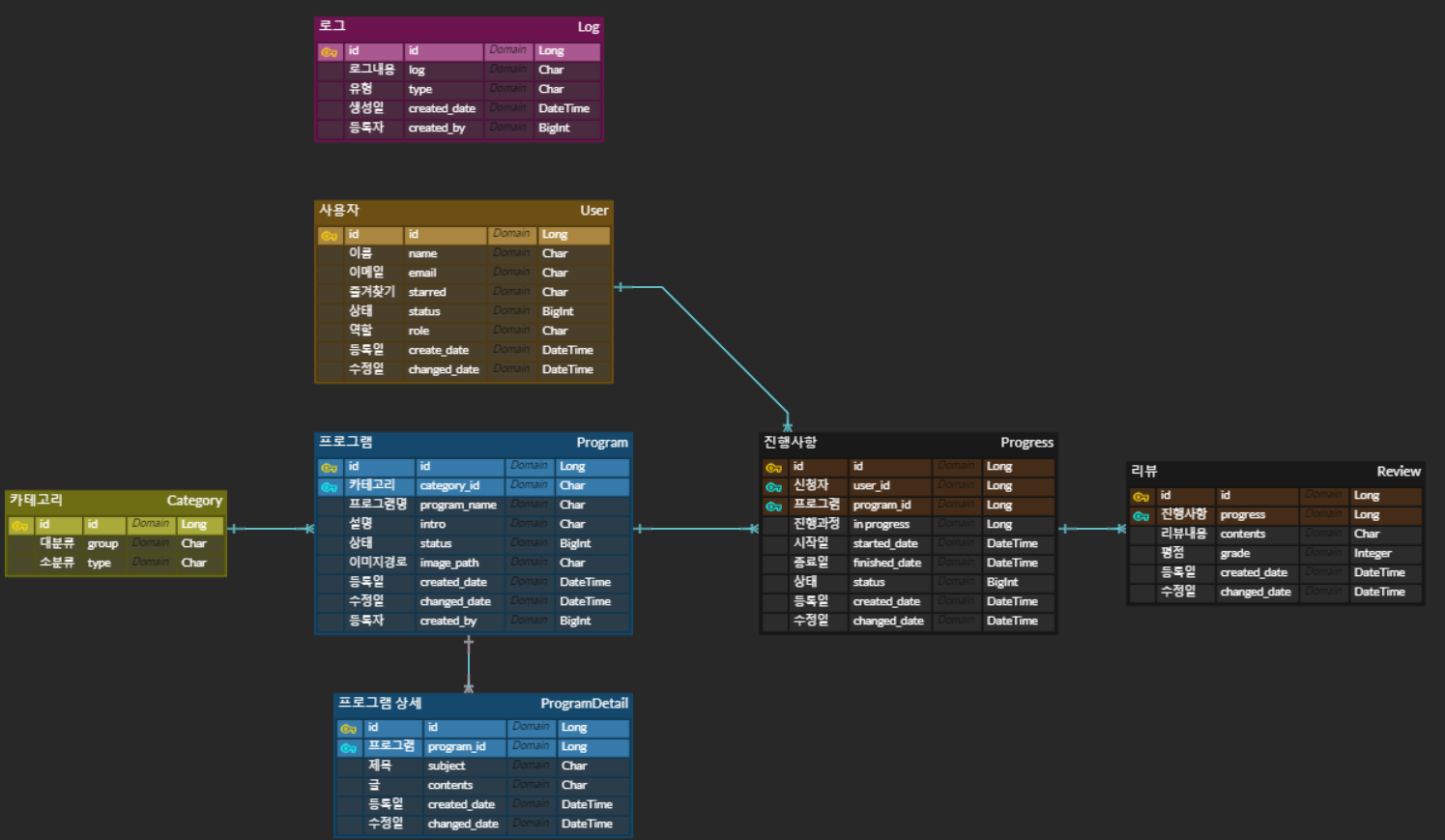
(Due to an import issue, the name of the existing Service was changed to Program.) In this project, since most of the services are mapped in a many-to-one (N:1) relationship, the @ManyToOne condition was used. This is a part about the Progress Entity, and its significance is to enable the user's information in each progress state to be read as well when bringing in information about the service in progress. One user can apply for multiple services and therefore has multiple progress records. For example, when a service creator wants to delete a service, it identifies the users who have applied for and are running the service. If the user's status is not in use and the service status is completed or cancel, deletion is possible. However, if there are people who are still in progress of the service, it must be possible to prevent them from editing or deleting the service focus. As shown below, the relationship with User can be connected using @ManyToOne and @JoinColumn. Note that referencedColumnName must be the same as the column name to be joined to the User table.
@ManyToOne
@JoinColumn(name = "USER_ID", referencedColumnName = "ID")
private User user;
Here, you can see the table being created just by running the application.
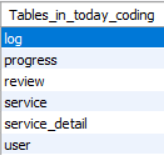
If a SQLSyntaxErrorException occurs due to an fk issue when dropping and deleting a table, see the post below! You need to create a repository for each 2023.03.13 - [ErrorLog] - SQLSyntaxErrorException: Can't DROP '------'; check that column/key exists table and connect it, but in order to create it all at once, only the basic settings are set as follows.
package com.toco.trialService.repository;
import com.toco.trialService.entity.Log;
import org.springframework.data.jpa.repository.JpaRepository;
import org.springframework.stereotype.Repository;
@Repository
public interface LogRepository extends JpaRepository {
}
After creating the table, check by adding data and testing
The table has been created and data has now been added. First of all, this is for testing the Viewdan, and the actual process of processing INPUT via POST in the Viewdan will be carried out after creating the main and detailed pages. In order to perform an insert test in the program, a category value to be mapped was needed, so a random value was entered first.
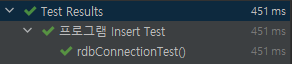
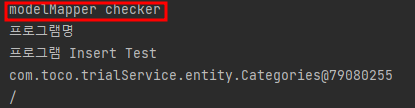
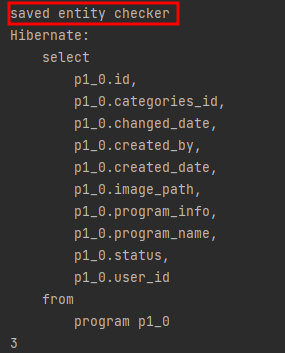
INSERT INTO Categories(changed_date, created_date, large_category, sub_category) VALUES(now(), now(), 'large', 'sub');I added random data in the test code and used the code below. And as a result, it was confirmed that it was inserted into the DB normally.
package com.toco.trialService.dbTest;
import com.toco.trialService.dto.ProgramDto;
import com.toco.trialService.entity.Program;
import com.toco.trialService.enums.Status;
import com.toco.trialService.repository.CategoriesRepository;
import com.toco.trialService.repository.ProgramRepository;
import org.junit.jupiter.api.DisplayName;
import org.junit.jupiter.api.Test;
import org.junit.jupiter.api.extension.ExtendWith;
import org.modelmapper.ModelMapper;
import org.springframework.beans.factory.annotation.Autowired;
import org.springframework.boot.test.autoconfigure.jdbc.AutoConfigureTestDatabase;
import org.springframework.boot.test.autoconfigure.orm.jpa.DataJpaTest;
import org.springframework.test.context.junit.jupiter.SpringExtension;
@ExtendWith(SpringExtension.class)
@DataJpaTest
@DisplayName("프로그램 Insert Test")
@AutoConfigureTestDatabase(replace = AutoConfigureTestDatabase.Replace.NONE)
public class InputTest {
@Autowired
private ProgramRepository programRepository;
@Autowired
private CategoriesRepository categoriesRepository;
@Test
public void rdbConnectionTest() {
ModelMapper modelMapper = new ModelMapper();
ProgramDto dto = new ProgramDto();
dto.setCategories(categoriesRepository.findById(1l).get());
dto.setImagePath("/");
dto.setStatus(Status.Expired);
dto.setUserId(1L);
dto.setProgramName("프로그램명");
dto.setProgramInfo("프로그램 Insert Test");
Program program = modelMapper.map(dto, Program.class);
System.out.println("modelMapper checker");
System.out.println(program.getProgramName());
System.out.println(program.getProgramInfo());
System.out.println(program.getCategories());
System.out.println(program.getImagePath());
programRepository.save(program);
if(programRepository.findAll().size()>0){
System.out.println("saved entity checker");
System.out.println(programRepository.findAll().get(0).getId());
}
// id 값이 있으면 저장된 것으로 간주
}
}