[Today’s Coding] Step8. Backend - Redis Write-Through Caching processing
3min[Today’s Coding] Step7. Backend - Implementation of table creation and search functions using JPA
5min[Today’s Coding] Step6. Backend - Apply Swagger and modify ERD
5min[Today’s Coding] Step5. Frontend - Creating a main page carousel
2min[Today’s Coding] Step4. Frontend - Setting up Thymeleaf Layout
3min[Today’s Coding] Step5. Frontend - Creating a main page carousel
‘Today’s Coding’ mailing service made with JAVA 17, Spring Boot 3.0.2, Gradle, MySQL, and Redis

Today, I created a carousel on the main page view level.
In fact, there were a lot of devil's whispers about using a template that had already been created for the front desk, but I thought that if I made it this time, I might have to do the front desk in the future and it would be helpful for collaboration, so I decided to do the best I could. Also, since I was doing only the back-end and then doing the front-end while working on a project, it was really fun and I was able to concentrate better. Still, I think back-end is a good fit for a career. It's a personal project, so if you know everything, everything will become your life...!
Enough with the TMI, let’s first look at the image of the main page design.
At the top, instead of the left home button, clicking on the title takes you to home, so I didn't create a separate one. As I was making it, there were a lot of changes one by one to make it look better.

Using Bootstrap x5.1 Carousel
Although various types of carousels are provided, I decided to use the Individual .carousel-item interval to create a main page where the banner moves to the side after a certain period of time.
Please change the color of the carousel button..
Here, you can use the code on the bootstrap site, but if the image is not large or the background is not black, the color of the carousel movement button is not visible, which is inconvenient. When I searched the Internet, I found that there were many people suffering because of it.
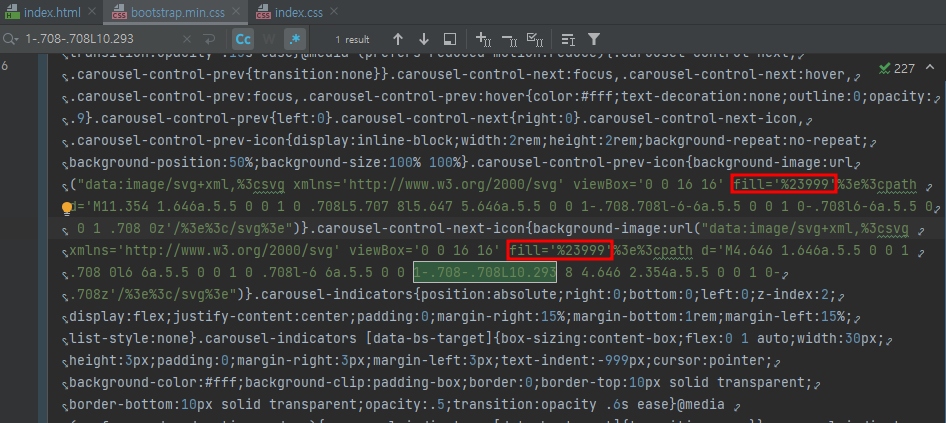
If you look at the developer tools, you can see that svg images are included in caraousel-control-prev-icon and caraousel-control-next-icon. Therefore, the only way is to change the image or change the image information.
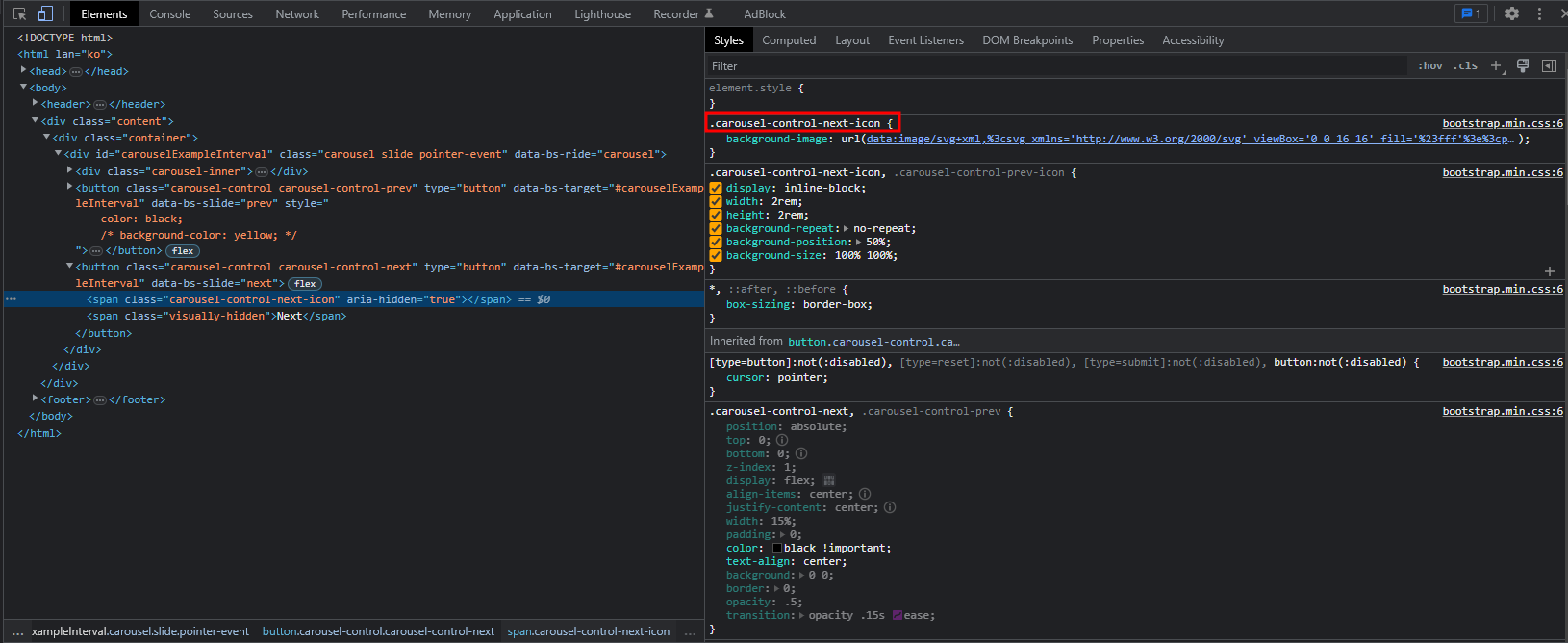
Let's find the image data of the icon in bootstrap.min.css based on the URL found in the developer tool above. If you look at the back of each data, there is a part called fill. By adjusting the value after %, you can change the svg value that was not visible because it was white. I used a random number 23999 and changed it to a slightly grayish button.
(see image below)