Recommended free life/plan management tools
How should I plan my life?
As a Power J person, I have a lot of life plans, so I tend to use tools to manage them.
I have used famous tools so far, and I have written about the pros and cons of each and my subjective impressions while using them. I hope this helps people who have had this problem.
What tools have you used and what tools will you introduce?
In my case, I tend to manage my daily routine and do not manage it in detail by the hour. I tend to finish at least on the to-do line, but the reason is that if I manage it in too much detail, it may not be followed, and there seems to be a bit of stress(?) that comes from that, so I would like to introduce a few tools I used because I thought it was necessary. (The introduction order was written in the order in which it was used.)
- Notion
- Microsoft To-Do
- Google Calender
- Naver Calender
- Trello
- Jira Software
1. Notion
First, there is Notion. Representative tools, from management tools to portfolios and resumes, are probably tools that are already famous and familiar to many people. Two years ago, I made a lot of things with Notion, and it was a tool I had so much love for that I even shared the templates on Youtube.
merit
It is possible to create documents in various formats. It's not pretty, but simple PDF printing is possible. There are many templates shared with many users. It is useful for sharing information needed for team building with multiple people participating.
disadvantage
Large amounts of data? I remember that the speed was noticeably slow when a lot of data was loaded, so I stopped using it. I don't know how it has developed now. And personally, I didn't like the long view column that appeared when I scrolled, so I stopped using it.
2. Microsoft To-Do
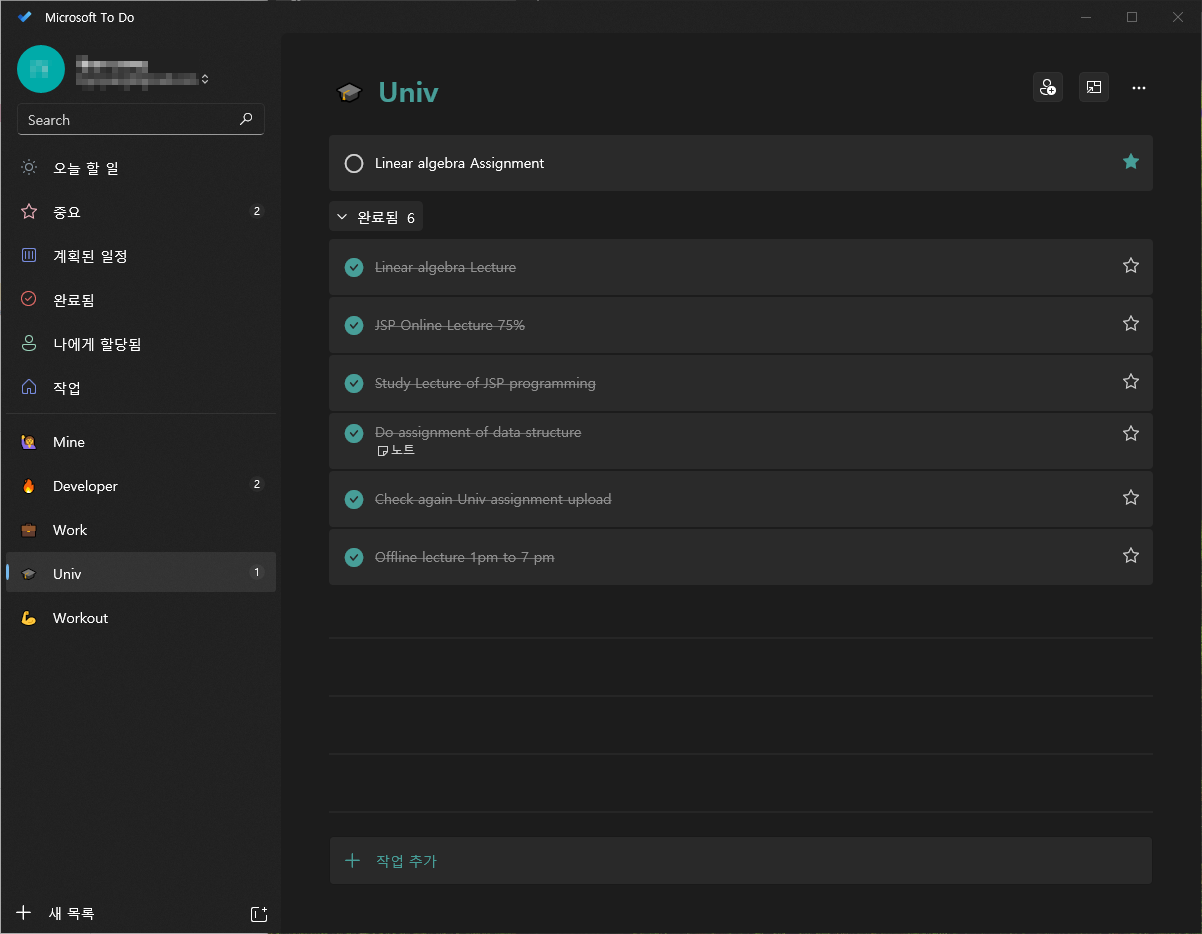
This is a to-do application from Microsoft. I don't know why Google doesn't produce this quality, but it has a really neat and well-made design, and it's convenient to use, so I remember using it a lot at one time.
merit
Its advantages include a clean design and quick compatibility. It is a really good application if you only want the real to-do as it focuses on the to-do itself. It was nice that device compatibility was fast throughout use, so it was applied right away. Also, things like simple emojis were provided in categories, making it easy to separate them.
It has a repeatable function, so there is no need to rewrite repetitive routine tasks.
disadvantage
Rather than a drawback of this product, what did not suit me is that it is difficult to see and understand the records of time at a glance. Of course, you can view completed to-dos, but it was difficult to sort them by filtering in various ways. You can organize it by dragging, but it is inconvenient. I heard that there are some that can be linked to calendars, but it was not linked to Google Calendar, so it was inconvenient to use.
3. Google Calender & Naver Calender
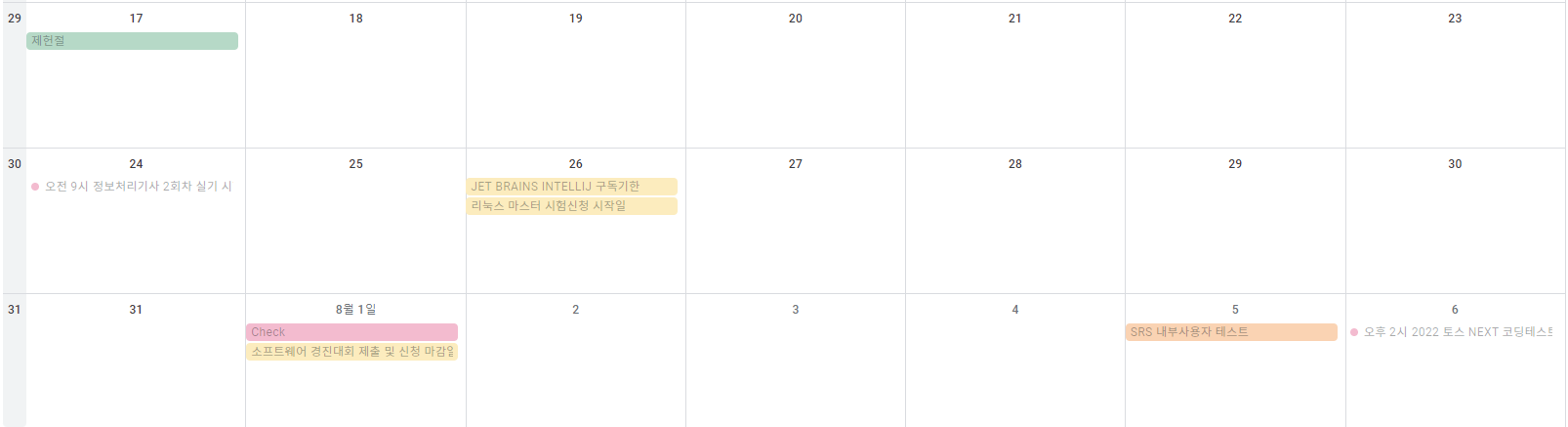
Is there anyone who hasn't used Google Calendar? When installing a mobile phone, registering a Google account is basic, and it is convenient to link here and there, so it is an application optimized as a calendar-based planning tool. It's a bit cute on the iPad, but the Galaxy Android Google Calendar's UI is very simple and not pretty, so I'm using it by linking Google Calendar to Naver Calendar.
If you use the iPad a lot, I've seen that Apple Calendar is easy to use and has a pretty UI, but unfortunately I don't use it much because I have a lot of Android devices.
merit
It is the best for schedule management and the calendar is easy to view. It is convenient to use as it has alarm, repeat, and duplicate functions.
disadvantage
However, it is not good to view the flow of each task. Of course, there is a solution by dividing the calendar into multiple calendars and adding them to register the schedule, but I feel like the overall flow is not visible at a glance, so I am using it as a simple schedule check tool.
4. Trello
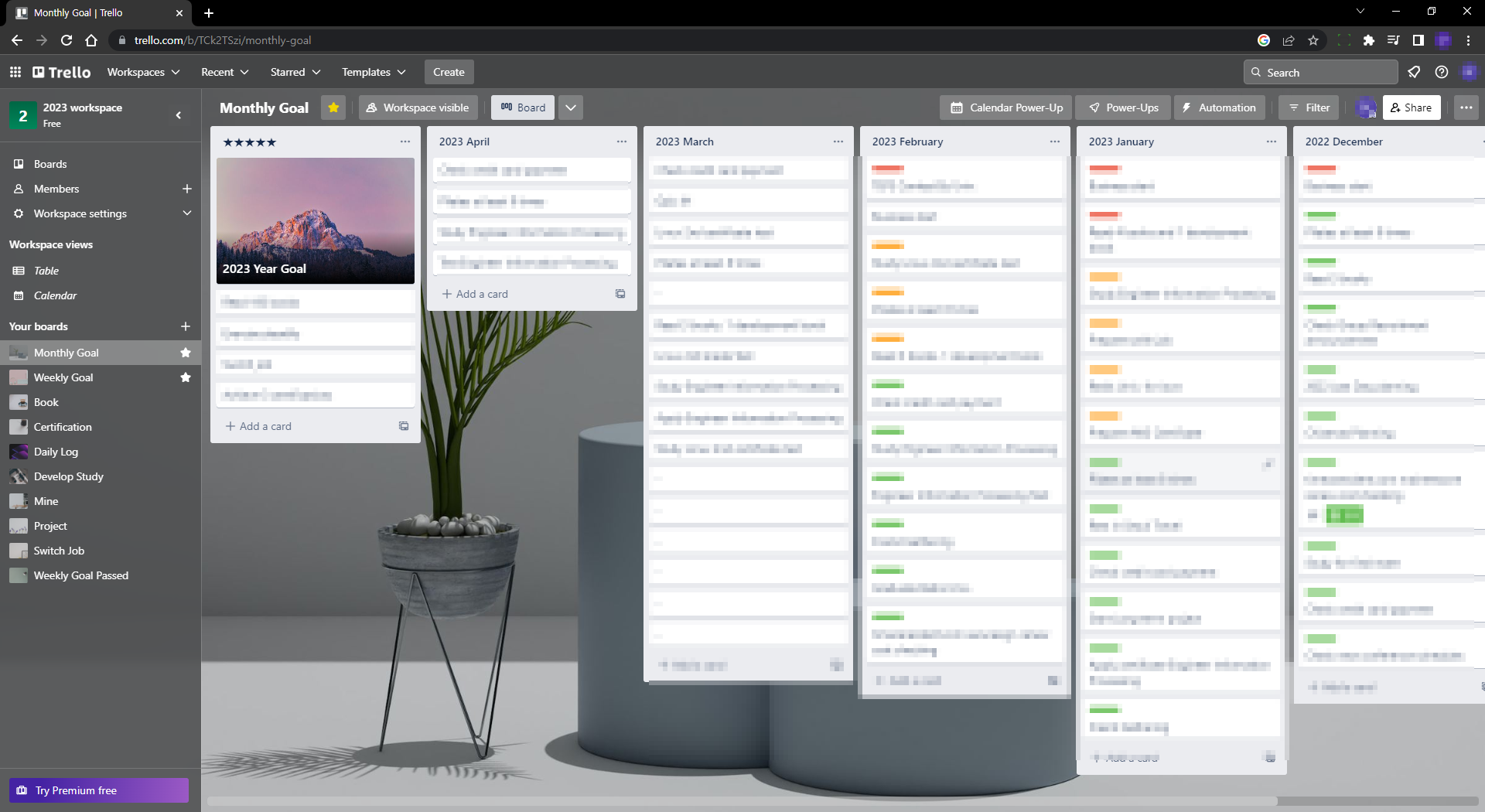
Trello is a tool that I learned about while studying, and it is a tool that I have been using really diligently since the end of last year and the beginning of this year. Kanban board is the main tool, and if you use it for a fee, it is convenient to use because there are various view boards like Notion. However, thanks to the shortcomings below(?), I changed my planning tool to Jira.
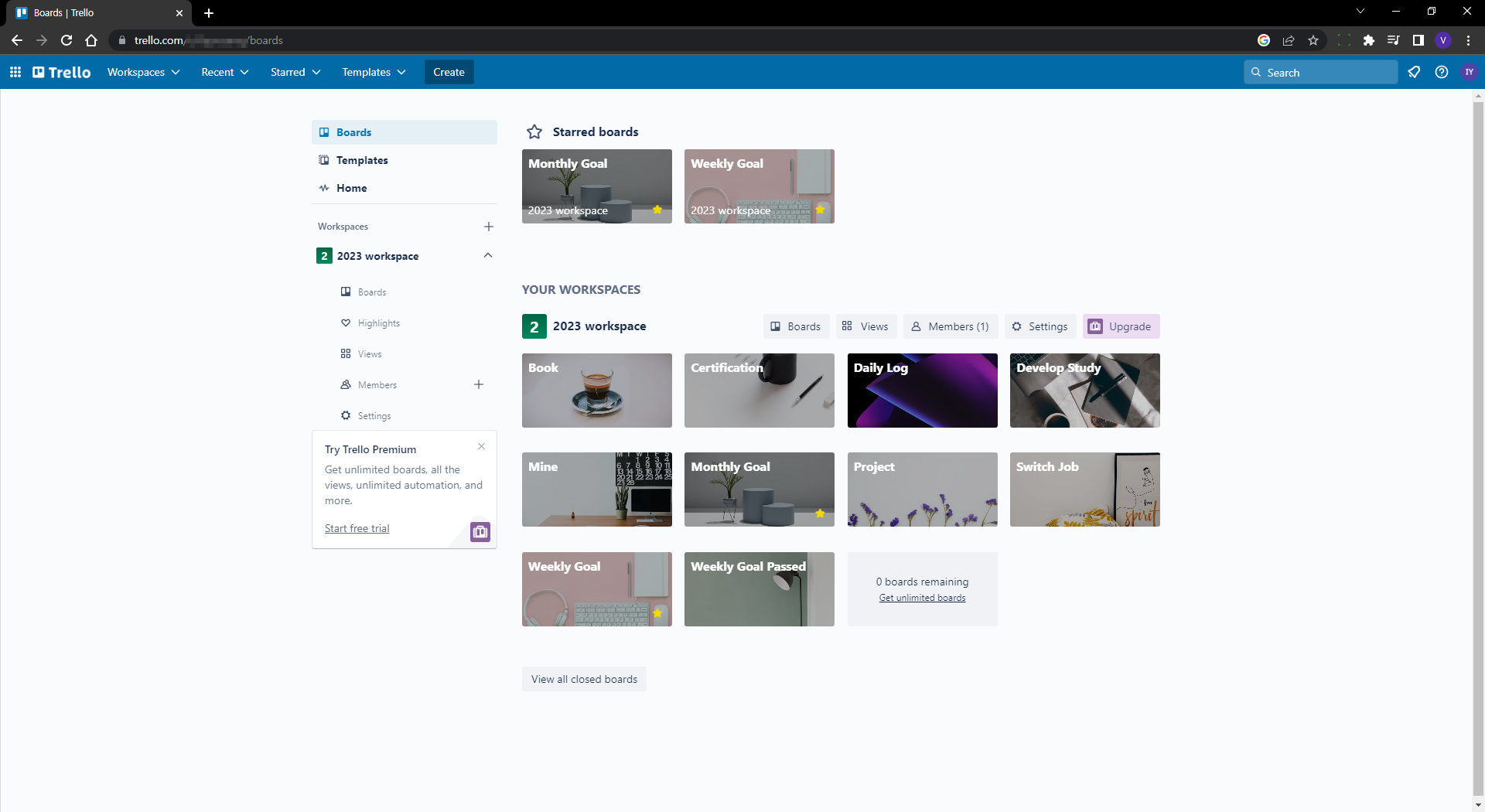
At the time, I managed it by dividing various to-do tasks into categories and setting up separate Monthly and Weekly Goal boards so that I could refer to the sub-trello board through attachments.
merit
You can create and use up to 10 boards per workspace for free. Trello is actually a good tool for simply viewing the flow or roughly managing it. A variety of automation functions can be created. For example, it has many useful functions for team projects, such as moving cards within the board and sending emails or alarms when you go to which board.
disadvantage
There are views that would be more satisfying if you paid for them. I didn't have enough affection to use it for a fee.
And it is a somewhat hard view unit. Although I used it consistently because it was simple and clean, the Kanban board still had many inconveniences in viewing the detailed project flow.
5. Jira Software
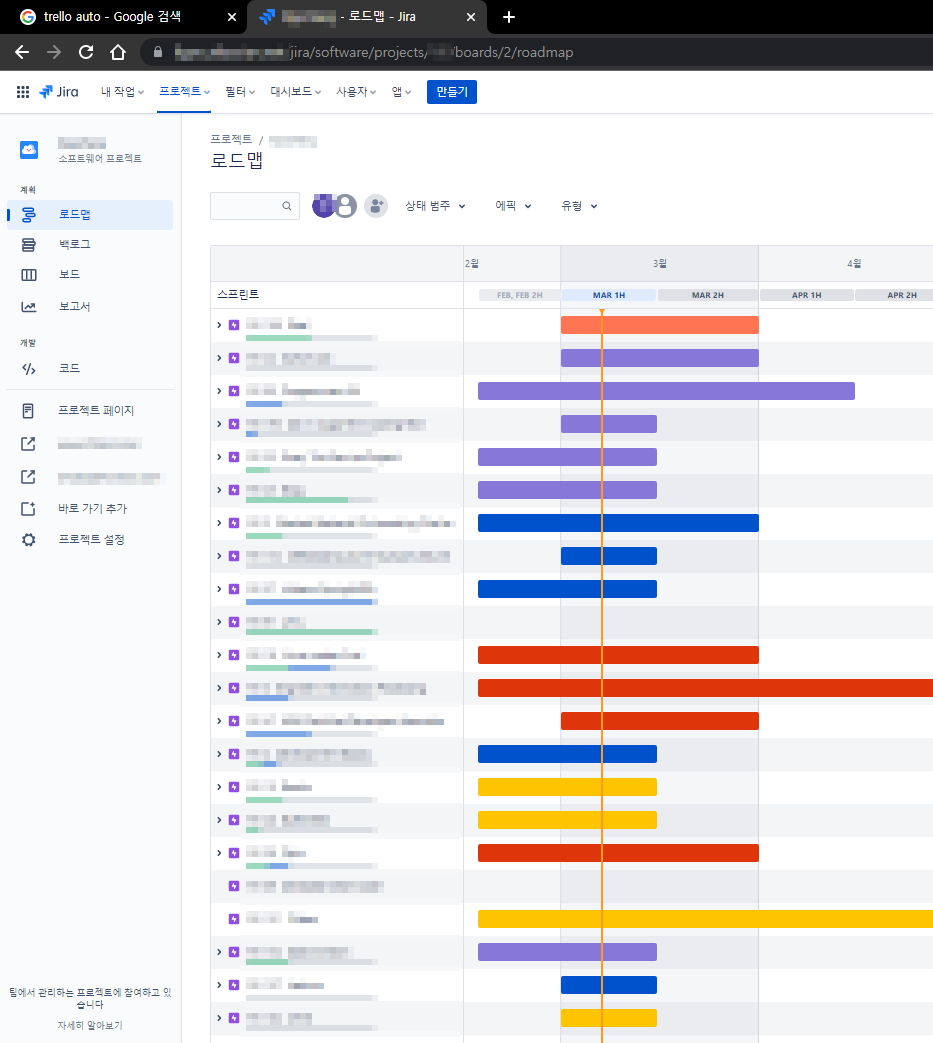
This is the tool that I have established and am using now. A representative developer that has the advantages of Trello is Jira Software. Currently, my project development is also based on this standard. If I think of life as a project, I set mid- to long-term items that need to be accomplished or take more than a month as epics and manage them with sub-tasks or stories for each.
merit
You can see it at a glance!!
Segmentation is possible. Of course, it is subdivided with Trello, but it is much easier to see the sub-items and understand the progress of each sub-item than with Jira.
Because of the Sprint concept, it is advantageous to assign backlog tasks and manage schedules for each Sprint. It is difficult to explain here because this is not a page explaining how to use Jira, but I am thinking of making a YouTube video related to using Jira in the future.
disadvantage
Although I haven't identified any major shortcomings yet, I think it would be better to use Google Calender for daily schedule management rather than the part provided by Jira.
There are only 10 color settings in Epic?
(This is off topic, but my company uses Azure DevOps, and I personally feel that Jira is much better.)
So what tools do you use now?
Based on the tools above, I mainly use Jira Software, and I use Google Calender to check schedules. And for info that needs to be remembered like a notepad, use Microsoft to-do.
It looks complicated, but...
Use Google Calendar to check if there are any events scheduled for today or nearby.
Check the schedule using Jira and decide what to do right now. What you need to do right now is if your Google schedule is at 1 o'clock, look in Jira and decide what to do for the next 3 hours.
Jira is actually a project tool that developers often use, but I think there is no better tool to understand the flow of work while using it.