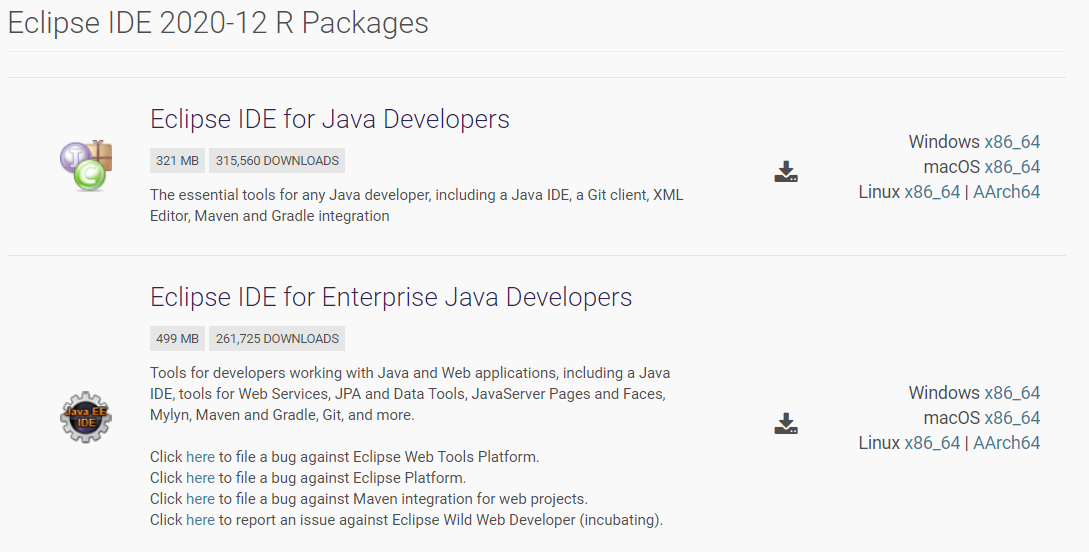
for Java Developers has a small capacity and is good for working using only Java programs.
Download for Enterprise Java Developers if you are considering a project that also works on other web-based JS programs in parallel.
Check Java installation through cmd
Commands to clear window contents: cls, check directory dir, change location cd
Java basic configuration
1. Package declaration
A package can be thought of as a directory path where a class is stored. package package name;
2. import statement
import java.lang.*; //* Everything
import java.util.Date;
By default import java.lang.*; This is omitted
3. Class declaration
4. Compile
The process of converting a high-level language into a low-level language (machine language)
ASCII code ASCII code
C:\Program Files\Java\jdk1.8.0_271\bin\javac.exe
5. Run
C:\Program Files\Java\jdk1.8.0_271\bin\java.exe
1 2 3 4 5 6 7 8 9 10 11 12 13 14 15 16 17 18
import java.util. * ; //import java.lang.System; //The file name and class name must be the same when creating. public is the access controller public class HelloExam { //The first letter must be capitalized //Also, when saving, the file name must be the same as the class name, with the extension .java //class body ends with { } public static void main( String [ ] args) { System . out . println ( "Hello World!" ); System. out . println ( "Hello?" ); Date now = new Date(); System. out . println ("Current time:" + now); } } Colored by Color Scripter
cs
abstract
This refers to extracting the necessary properties () and functions (Methods). In other words, you create an object with properties and use that object by creating a method with a variable.
Types of Variables
Depending on whether memory is shared, it can be divided into instance variables and static variables.
instance variable: An object that uses actual memory and a variable that can only be used by that object
static variable: A variable that can be shared by multiple objects
Where parentheses () appear in Java
() is used in the first constructor and the second method.
package my.day01; public class Member { /* If you want to write a shopping mall program, you will need member, product, shopping cart, and order history parts. Here, the design drawings of the required parts can be viewed as “classes.” */ // ***Abstraction ==> refers to extracting necessary properties and functions. == Create a method. // Sign up (hospital) ==> Height, blood type, weight, blood pressure // Sign up (shopping mall) ==> ID, password, name, email, phone number, address, mileage... // attribute == property == field == attribute //1). Instance variable // cannot be shared between different instances and is used only in each instance. // An instance refers to a state in which a class is loaded into memory (RAM) and becomes an actually usable object. // Instance variables are also called non static variables. Stringid; //String is a class (data type) that means a string. //It means that a variable called id (a variable number) contains a string. Stringpwd; //Password String name; //Name String email; //Email //id, pwd, name, email are called instance variables. //2).static variable // A static variable is a variable shared between different instances created with the same class static String address; //Shared variable italics /* behavior == behavior == function == method (method) There are only two occurrences of parentheses () in Java. () is used in the first constructor and in the second method. Instance variables cannot be added to static methods, because they are shared */ // Let's create a function to look up member information. void showInfo() { //void means there is no return type. System. out . println ( "=== Member information ===\n " + "1. ID: " + id + "\n " + "2. Password: " + pwd + "\n " + "3. Name: " + name + "\n " + "4. Email: " + email); // \n indicates a line break. // The + between strings means string concatenation. } } Colored by Color Scripter
package my.day01; //import my.day01.Member //Classes in the same package do not need to be imported public class Main { //The console program is executed in the main() method. public static void main( String [] args) { //What actually works is the main method //requires 1 new member Member lssmbr = new Member(); //Lee Sun-sin lssmbr is called an object (==instance) of the Member class. lssmbr.id = "leess" ; lssmbr.pwd = "abcd" ; lssmbr.name = "Yi Sun-shin" ; lssmbr.email = "leess@naver.com" ; // lssmbr.address = "Mapo-gu, Seoul"; Member.address = "Mapo-gu, Seoul" ; // Static variables are used as class names and static variable names. //One more new member is needed Member eomjhmbr = new Member(); //Eom Jeong-hwa eomjhmbr is called an object (==instance) of the Member class. eomjhmbr.id = "eomjh" ; eomjhmbr.pwd = "qwer1234" ; eomjhmbr.name = "Eom Jeong-hwa" ; eomjhmbr.email = "eomjh@gmail.com" ; // eomjhmbr.address = "Ogeum-ro, Gunpo-si, Gyeonggi-do"; System. out . println(lssmbr); //my.day01.Member@15db9742 @ The following is the address value in memory (RAM) in hexadecimal System. out . println(eomjhmbr); //my.day01.Member@6d06d69c System . out . println ( "Name of lssmbr object: " + lssmbr.name); System. out . println ( "Name of eomjhmbr object: " + eomjhmbr.name); // System.out.println("Address of lssmbr object: "+lssmbr.address); // System.out.println("Address of eomjhmbr object: "+eomjhmbr.address); System. out . println ( "Address shared by objects created with the Member class: " + Member.address); //Static variables are shared spaces //View member information for lssmbr instance lssmbr.showInfo(); System. out . println(""); // Check member information for eomjhmbr instance eomjhmbr.showInfo(); } } Colored by Color Scripter