[Today’s Coding] Step4. Frontend - Setting up Thymeleaf Layout
‘Today’s Coding’ mailing service made with JAVA 17, Spring Boot 3.0.2, Gradle, MySQL, and Redis

Today, I would like to introduce the part of creating a View Dan using the Layout function.
This is the first thing I do before making Viewdan. I'm not a front-end expert, so I don't know the order in which everyone develops, but I tend to set up the layout by creating fragments and then proceed with the process of creating each view.
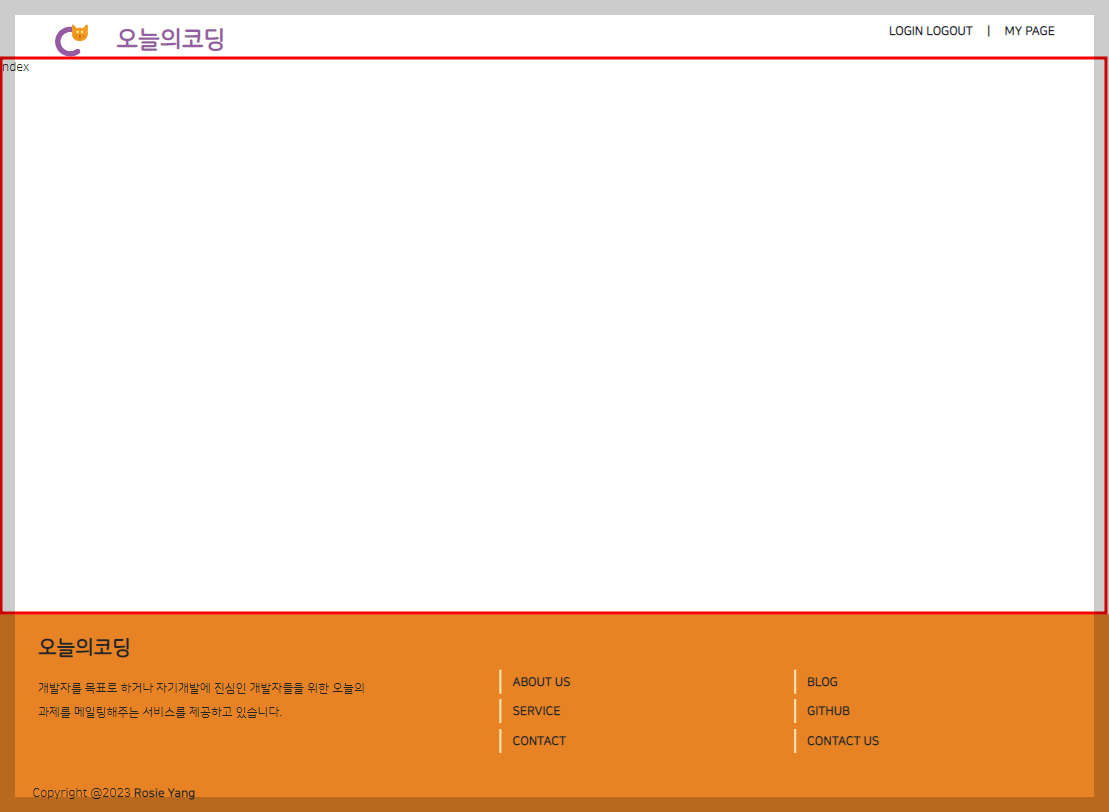
Today’s result.. Dudun!
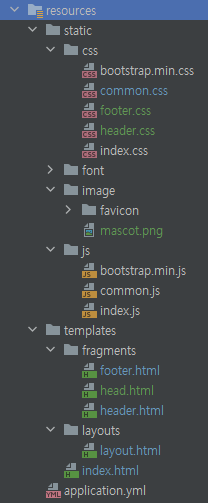
First, before explaining the layout settings, let's first look at today's results and project structure for better understanding. I set up the layout and created a simple header and footer.
1. The header part is the part that checks the title and whether you are logged in,
2. The part with a small sign saying ‘index’ is the body container,
3. The footer contains the service description and SNS section below.
(It's strange because it's not the exact menu structure, but it's unrelated to this content, so just make sure that the sections are divided like this~)
So let's take a look at how to make it below.
The center of Project Viewdan! Apply Layout
Although it explains the contents related to layout settings, it does not contain all the code, so you can customize it while explaining the specific details.
Add dependency
To add the necessary dependencies to build.gradle, I added the following code because I plan to use thymeleaf for layout settings.
implementation 'org.springframework.boot:spring-boot-starter-thymeleaf'
implementation 'nz.net.ultraq.thymeleaf:thymeleaf-layout-dialect:3.2.0'
application.yml settings
I made settings related to thymeleaf in application.yml, but I think you can change this part as needed while creating it, so I only made the basic settings.
spring:
thymeleaf:
encoding: UTF-8
prefix: classpath:/templates/
cache: 'false'
suffix: .html
template-mode: LEGACYHTML5
mode: HTML
dialects: thymeleaf.extras.fragments.dialect.FragmentLayoutDialect
Creating fragments
Creates elements that will be permanently added to the layout. Here, it was created based on head, footer, and header, and common title and favicon elements and css and js links were connected to the head. The header contains elements that will be displayed permanently regardless of page changes, such as the page title and login menu, such as the resulting photo. The footer contains text introducing the page and necessary parts of the content found at the bottom of various websites.
The code required for each fragment is specified as thymeleaf fragment, as shown in the following code.
The name of the fragment is free, but since I plan to use Viewdan's naming convention in this project by separating it with _, I named it something like header_fragment.
// header 내용
Create a layout
If you have created all the necessary fragments, you can create a layout to use them as materials as shown below. You can see that the head, header, and footer are connected using the names of the fragments that were created in advance. th:replace literally means replacing the code position with the fragment connected to it. layout:fragment serves to connect the layout:fragment code called "content" in the HTML that will use this layout.
index.html with content
To insert the layout:fragment described above, that is, the main content, I wrote the code below. To use layout, use layout:decorate in the html tag to connect the location of the layout html file.
? Some people may know it as thymeleaf's layout:decorator, and I used to do the same before, but when I looked it up on github, I found that the name had been changed to layout:decorate. It seems that the conclusion was reached because it was deemed appropriate to use verb-type naming in thymeleaf, such as th:replace and th:insert.
Rename layout:decorator to layout:decorate · Issue #95 · ultraq/thymeleaf-layout-dialect
// 본문내용
This completes the layout settings using thymeleaf. To be continued.. ?