[Reservation Program] Extra 2. Errors that occurred during the use and distribution of Cafe24 Tomcat JSP hosting
Considering the scale of the service, I thought it would be better to use a lower version even if I upgrade later, so I used Cafe24 Tomcat JSP hosting.
Step1. First of all, the deployment process is almost identical to the AWS deployment process.
The only difference is that the login ID is the Cafe24 hosting site ID and the login password is registered in Putty using the FTP password you first registered. Unlike deployment using a cloud server, there is no need to register a separate server private key.
The hosting product I used does not incur any redistribution costs and provides a free domain.
Since there is a basic index.jsp file in ROOT, let's go to the free domain and check if the message 'Congratulations on signing up for the service' appears on the screen.
(Chrome automatically connects to https://, so you need to change it to http://.)

Code that will be used frequently during deployment
Since I was distributing one project to Cafe24 anyway, I deployed it as ROOT.war and did not modify server.xml separately.
// 톰캣 로그를 확인하기 위한 코드
tail -f tomcat/logs/catalina.out
// 톰캣 특정날짜(2022-02-18) 로그를 확인하기
vi tomcat/logs/catalina.2022-02-18.log
// 톰캣 server설정확인, / mapping 변경시 등
vi tomcat/conf/server.xml
// 톰캣 시작
./tomcat/bin/startup.sh
// 톰캣 중지
./tomcat/bin/shutdown.sh
When deploying to Cafe24, an error occurred in the war file, which had no problem in AWS, and I would like to summarize a few things to help you remember.
1. LifeCycleException
java.lang.IllegalStateException: ContainerBase.addChild: start: org.apache.catalina.LifecycleException: Failed to start component [StandardEngine[cdental].StandardHost[cdental.cafe24.com].StandardContext[]]
at org.apache.catalina.core.ContainerBase.addChildInternal(ContainerBase.java:757)
at org.apache.catalina.core.ContainerBase.addChild(ContainerBase.java:729)
at org.apache.catalina.core.StandardHost.addChild(StandardHost.java:717)
at org.apache.catalina.startup.HostConfig.deployWAR(HostConfig.java:974)
at org.apache.catalina.startup.HostConfig$DeployWar.run(HostConfig.java:1850)
at java.util.concurrent.Executors$RunnableAdapter.call(Executors.java:511)
at java.util.concurrent.FutureTask.run(FutureTask.java:266)
at java.util.concurrent.ThreadPoolExecutor.runWorker(ThreadPoolExecutor.java:1142)
at java.util.concurrent.ThreadPoolExecutor$Worker.run(ThreadPoolExecutor.java:617)
at java.lang.Thread.run(Thread.java:745)
Since the error occurred while unzipping the war file and launching it with tomcat, I thought it was an issue with servlet, mapping, tomcat, etc., so I checked to see if the related parts were set up properly.
- I checked whether a mapping issue occurred. Since there may be a problem with the URL connected in @RequestMapping, '/' was added in front of all mapping addresses.
- Clear unnecessary caches Invalidate Caches
- Check if there is a typo in the servlet mapping part.
- Register in application.properties to know that database is sql-server
- Add ojdbc jar file to tomcat/lib
However, the problem was not resolved and the same error occurred. The reason was that spring-boot-starter-tomcat included in spring-boot-starter-web was excluded. This is because there is a built-in tomcat in Spring Boot and a tomcat installed in web hosting. I entered the code below in application.properties to exclude the built-in tomcat.
spring.main.web-application-type=none2. java.lang.OutOfMemoryError: Java heap space
An error occurred saying that Tomcat heap memory was insufficient. This was resolved by changing the default heap size when building in intelliJ. In Settings > Build, Execution, Deployment > Compiler, the Shared build process heap size was changed from the default 700 to 2000.
Step2. Let's connect your domain!
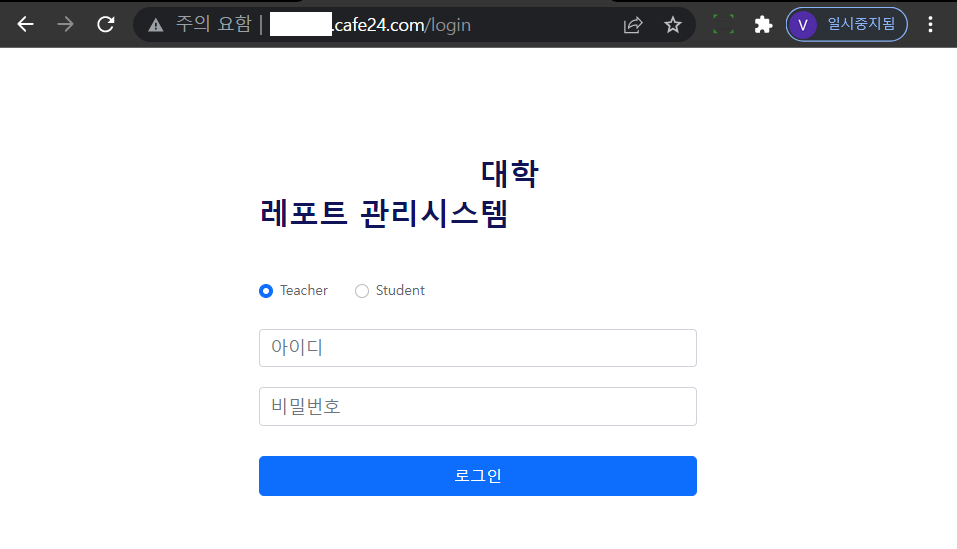
Distribution was successful.
Although the UI is very basic, the interior is well decorated. I need to pay more attention to the UI before service.
The point of concern here is whether a load balancer is necessary.
Since the number of people using the service is relatively small and there is little chance of it being concentrated at once, we decided to avoid using a load balancer for now. I deliberately purchased one with ample traffic. After introducing the test service, I decided to confirm whether to connect to the load balancer, and registered the domain previously connected to AWS ACM and RDS as cafe24.
Step3. Connect your domain
Continuing from step 2, I would like to connect the AWS domain I already purchased to Cafe24.
Register the web hosting name server at the bottom left of the web hosting page. Then, add a domain and set the representative domain in Web FTP to complete the domain connection.
(In AWS, the name server registers the name server in Route53 > Domain > Registered domain.)
Step4. Connect to DB
Add MySQL external IP access settings to web FTP. Since I wanted to manage the DB locally, I registered the local IP and the server IP because I needed to be able to access the DB from the server.
What I felt while looking into domestic hosting companies is that there are many web hosting products mainly based on PHP and TypeScript.
In order to host a Java-based website, I found out that, in addition to the product I used, many domestic hosting company products were distributed using containers or cloud servers.
JSP is definitely not supported by default in intelliJ, and it seems to be decreasing after searching on Google. I also wrote the view layer for this project using Thymeleaf and HTML without JSP.
(However, since there is no cheap domestic web hosting that supports Java, Tomcat JSP service was used. As seen in the previous section, only the top 3 domestic web hosting companies were analyzed.)
2022.02.07 - [Project/AWS RDS를 사용한 예약 프로그램 배포하기] - [예약프로그램] 번외. 현재 클라우드 컴퓨팅을 이용한 호스팅과 국내 호스팅 업체 선택
Sites that helped:
[JSP] 에러 심각: ContainerBase.addChild: start:
OKKY - 스프링부트 프로젝트를 톰캣 8.0으로 배포 시 오류
Access to DialectResolutionInfo cannot be null when 'hibernate.dialect' not set
java.lang.OutOfMemoryError: Java heap space 오류 해결
[ Java _ Tomcat ] [에러] java.lang.OutOfMemoryError: Java heap space 해결하기. : 네이버 블로그
JAVA development environment in IntelliJ (with gradle) – Mayaul