SDKs and Developer Skills for AI Glasses Content Creation
AI glasses are no longer a concept — they are shipping products with real user bases. Ray-Ban Meta has sold millions of units, Oakley Meta targets sport athletes, and more platforms are entering the space. For developers and content creators, the question is now practical: which SDKs are worth learning, what content formats work natively on these devices, and what does a useful AI-glasses-first app or workflow actually look like?
This post covers the current SDK landscape, the content skills that pair best with first-person AI glasses footage, and concrete use-case sketches across travel, tutorials, and daily vlogging.
What "SDK" Actually Means for Meta Smart Glasses
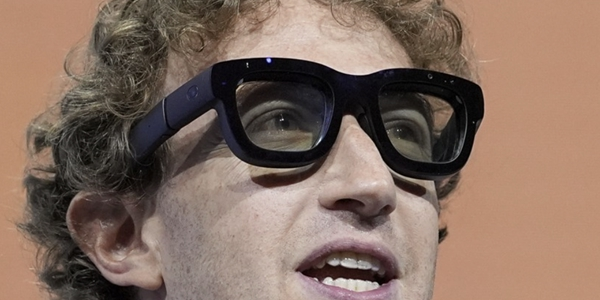
Meta smart glasses (both Ray-Ban and Oakley) do not expose a traditional on-device SDK in the way an Android or iOS phone does. The glasses run a locked firmware — you cannot sideload apps or run custom code on the glasses themselves. What is available is a set of surrounding platform APIs and mobile SDKs that connect to the glasses via the Meta View companion app.
The current integration surface breaks into three layers:
Meta View App Extensions — The companion iOS/Android app can be extended through deep-link intents and share targets. If a user captures a photo or video on the glasses, it lands in the Meta View gallery, where it can be forwarded to any share target you register (including your own app).
Meta AI Platform APIs — Meta AI running on the glasses ultimately routes through Meta's cloud. Developers building complementary apps can use Meta's Llama API (via llama.meta.com) to run the same underlying models, enabling consistent AI behavior across glasses and phone.
Media / Social Graph APIs — Footage captured on glasses can be posted directly to Instagram Reels, Facebook, and WhatsApp. Apps integrating via the Meta Business API can ingest that content programmatically for scheduling, analytics, or post-processing.
On-device custom voice commands are not yet exposed to third-party developers in the current firmware generation. Meta has announced an extensibility roadmap but has not shipped a public SDK for custom wake-word or voice-action registration as of mid-2026.
SDKs and Tools Worth Learning Now
1. Meta Llama API
The Llama API gives developers programmatic access to Llama 3 and its multimodal variants. If you are building a companion app that processes what the user sees or hears through the glasses, Llama's vision-language models are the natural choice for consistency with the on-glasses Meta AI experience.
npm install @llama-api/client

# Node.js quick start
const { LlamaClient } = require('@llama-api/client');
const client = new LlamaClient({ apiKey: process.env.LLAMA_API_KEY });

const response = await client.chat.completions.create({
  model: 'llama3-vision',
  messages: [
    { role: 'user', content: [
      { type: 'image_url', image_url: { url: frameUrl } },
      { type: 'text', text: 'What is in front of me and what should I know about it?' }
    ]}
  ]
});
Use this when your companion app receives a still frame from the glasses and needs to generate a contextual caption, translation, or recommendation.
2. FFmpeg + Web Audio API for Spatial Audio
Ray-Ban Meta captures audio with five microphones tuned for directional pickup. The raw export from Meta View is a stereo AAC stream, but the five-mic array encodes spatial information that can be extracted with FFmpeg into ambisonic or binaural formats.
# Extract and re-encode as binaural HRTF for headphone playback
ffmpeg -i glasses_clip.mp4 \
  -af "aformat=channel_layouts=ambisonic" \
  -c:a pcm_s16le \
  output_ambisonic.wav

# Or encode directly to Opus for web delivery with spatial metadata
ffmpeg -i glasses_clip.mp4 \
  -c:a libopus -b:a 128k \
  -metadata:s:a:0 title="spatial" \
  output_spatial.ogg
For web playback, combine with the Web Audio API's PannerNode to position sounds in 3D space for an immersive first-person experience that matches what the glasses wearer heard.
3. MediaPipe for Real-Time Scene Understanding
When building apps that process live or recorded glasses footage, MediaPipe's vision tasks (object detection, face landmarking, hand tracking, pose estimation) are the most practical cross-platform toolkit. They run in-browser via WebAssembly or natively on iOS/Android via the MediaPipe Tasks SDK.
npm install @mediapipe/tasks-vision

import { ObjectDetector, FilesetResolver } from '@mediapipe/tasks-vision';

const vision = await FilesetResolver.forVisionTasks(
  'https://cdn.jsdelivr.net/npm/@mediapipe/tasks-vision/wasm'
);

const detector = await ObjectDetector.createFromOptions(vision, {
  baseOptions: { modelAssetPath: '/models/efficientdet_lite0.tflite' },
  runningMode: 'VIDEO',
  maxResults: 5,
  scoreThreshold: 0.5,
});

// Process frames from a glasses video file
const result = detector.detectForVideo(videoElement, performance.now());
console.log(result.detections);
A common pattern: run MediaPipe client-side to detect objects in a glasses clip, then send only the detected labels (not the raw frame) to a remote LLM for commentary or narration generation — this keeps costs low and latency acceptable.
4. Cloudflare Stream or Mux for Live Streaming
Ray-Ban Meta supports live streaming to Facebook Live natively. If you want to build a custom destination — a private Twitch-style stream, a subscriber-gated feed, or a low-latency monitoring dashboard — you need an ingest endpoint that accepts RTMP. Cloudflare Stream and Mux both offer RTMP ingest with a REST API for stream management.
# Mux: create a live stream and get an RTMP key
curl -X POST https://api.mux.com/video/v1/live-streams \
  -H "Content-Type: application/json" \
  -u $MUX_TOKEN_ID:$MUX_TOKEN_SECRET \
  -d '{
    "playback_policy": ["public"],
    "new_asset_settings": { "playback_policy": ["public"] }
  }'
The glasses stream to Facebook, your app captures the Facebook Live RTMP re-broadcast and forwards it to your Mux ingest key using a Node.js relay. This is an inelegant but functional workaround until Meta exposes direct RTMP destination selection.
5. Whisper or Deepgram for Transcription
Glasses audio is noisy — wind, traffic, crowd. Whisper (via the OpenAI API or a self-hosted Faster-Whisper instance) handles this better than most transcription services because its training data skews toward natural, imperfect speech.
pip install faster-whisper

from faster_whisper import WhisperModel

model = WhisperModel("medium.en", device="cpu", compute_type="int8")
segments, info = model.transcribe("glasses_clip.mp4", beam_size=5, language="en")

for segment in segments:
    print(f"[{segment.start:.2f}s] {segment.text}")
Run transcription as a post-processing step after the glasses clip is uploaded, then feed the transcript into an LLM to generate chapter markers, social captions, or keyword timestamps for video SEO.
Content Creation Skills That Pair with AI Glasses
First-Person Framing
Glasses footage is inherently first-person. The camera sits where your eyes are, which means it captures head movements rather than deliberate camera movements. Good glasses content is shot with awareness of what your head actually does: nodding, turning, looking down at objects. Jerky head motion creates disorienting footage. The best glasses creators develop a "camera-head" habit — slow, deliberate head turns and conscious pauses on subjects worth framing.
Short-Form Vertical Editing
The 12MP ultrawide camera on Ray-Ban Meta captures footage in a wide horizontal frame, but the native share surface for this content is Instagram Reels (vertical). The workflow that works: export the wide clip, use FFmpeg or a tool like Kapwing to crop to a 9:16 vertical with subject-tracking auto-crop, then overlay captions generated from the Whisper transcript.
# FFmpeg: crop wide glasses footage to vertical 9:16 (center crop)
ffmpeg -i glasses_clip.mp4 \
  -vf "crop=ih*9/16:ih:(iw-ih*9/16)/2:0, scale=1080:1920" \
  -c:a copy \
  vertical_reel.mp4
Spatial Audio Mixing
The glasses' multi-mic array is genuinely good at capturing ambient sound. Lean into it rather than suppressing it. Content that uses ambient audio (cafe sounds, street noise, nature) alongside narration creates immersion that phone-camera content rarely achieves. Lightly compress the ambient layer and duck it under speech rather than cutting it entirely.
Live Commentary and AI-Assisted Narration
Because Meta AI is accessible hands-free during recording, creators can ask real-time questions and capture the AI response as part of the footage. For tutorial content this is powerful: demonstrate a process, ask the AI for context ("What is the name of this technique?"), and the AI voice response becomes part of the edit. Developers building companion apps can replicate this with a push-to-talk mobile interface backed by a Llama API call.
Example Use Cases
Travel Content
A glasses-wearing traveler records 30-second clips throughout the day. A background job on their phone polls the Meta View gallery via the share target API, uploads each new clip to Cloudflare R2, runs Whisper transcription and Llama vision captioning, and generates a daily digest: timestamped gallery with auto-generated captions, a summary paragraph, and a 60-second highlight reel stitched from the highest-energy clips (detected by audio energy level). The creator reviews and publishes — no manual captioning, no manual editing.
Tutorial / How-To Videos
A developer records a repair or cooking tutorial hands-free. MediaPipe object detection identifies which tool or ingredient is in frame at each moment. The app generates a timestamped parts list automatically from the video — "0:32 Phillips screwdriver, 1:14 motherboard, 2:05 thermal paste." Whisper produces a transcript. An LLM turns the transcript and parts list into a written step-by-step guide for the companion blog post. The creator edits for accuracy; the AI handles the structure.
Daily Vlogging
A vlogger captures ambient moments throughout the day — coffee, commute, meetings. A nightly cron job pulls the day's clips, runs face-landmark detection to avoid posting recognizable faces without consent, generates chapter markers from audio energy peaks, and uploads the assembled daily vlog to a private pre-review URL. The creator approves or trims before publishing. The editing time drops from two hours to ten minutes.
Developer Tooling Checklist
Llama API — multimodal AI for scene captioning and Q&A from glasses frames
FFmpeg — video crop, audio extraction, spatial re-encoding, clip assembly
MediaPipe Tasks Vision — object detection, pose, face landmarking in browser or mobile
Faster-Whisper or Deepgram — transcript generation from noisy outdoor audio
Mux or Cloudflare Stream — live ingest, VOD management, playback API
Cloudflare R2 — cheap object storage for raw clips before processing
Node.js cron or GitHub Actions — scheduled post-processing pipelines
Meta Business API — programmatic Instagram Reel publishing with caption and hashtag injection
What Is Not Yet Possible
To set realistic expectations: as of mid-2026, developers cannot register custom voice commands on the glasses, cannot access the camera feed in real time from a third-party app, and cannot install arbitrary code on the device. The glasses are a closed content capture and AI assistance platform. All developer leverage comes from processing captured media after it leaves the device, or from building mobile companion experiences that complement what the glasses do natively.
Meta's developer roadmap hints at an extensibility layer — custom AI actions, third-party voice intents — but no public SDK for on-device execution has shipped. Watch the Meta for Developers portal for updates; the category is moving fast.
Summary
The practical developer stack for AI glasses today is: mobile share-target integrations to receive media, Llama API for vision-language processing, FFmpeg for media manipulation, Whisper for transcription, and MediaPipe for local scene understanding. Content skills that transfer directly are first-person framing discipline, short-form vertical editing, and spatial audio mixing. The highest-value use cases — travel digests, auto-captioned tutorials, daily vlog assembly — are all achievable today with the existing SDK surface. On-device programmability is coming; the media pipeline work you build now will slot directly into it when it arrives.