Part 5. Learn about AWS at once - ECS, ECR, Copilot, EKS
Docker
It refers to a software platform for distributing apps. You will be able to run apps as containers on any OS. Docker images can be uploaded to Docker Hub as a public repository or created and stored in a public or private repository using Amazon ECR. Unlike using a VM, you can run multiple containers using Docker Daemon on top of the OS.
Elastic Cloud Service (ECS)
ECS is Amazon's container platform, and you can define and use ECS Tasks in ECS Cluster. Create an instance using the EC2 Instance Profile and deploy containers using the ECS Agent. Alternatively, you can use Fargate, a serverless method, by determining the required CPU and memory.
- You can connect and use ECS, ECR, and CloudWatch Logs.
- You can connect to ECS Tasks using ALB and NLB.
- You can mount it on EC2 Instance or Fargate with EFS and use it as ECS tasks.
- Mounting of S3 is not possible.
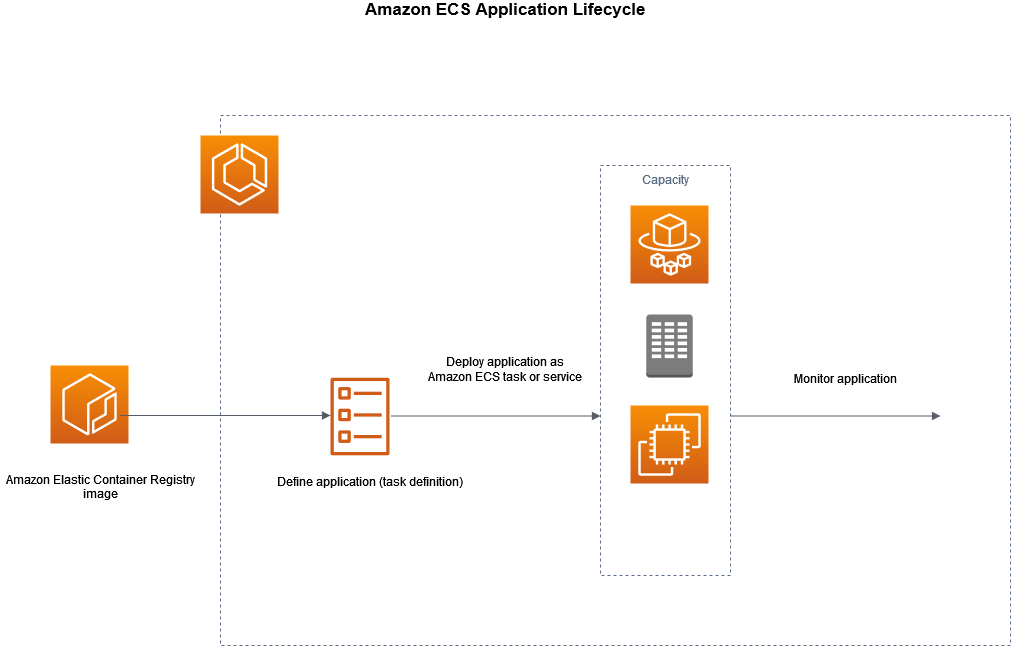
ECS Tasks
Task Definition
You can specify each role using Task Definition. Task Definition is json format metadata that contains information about how to run the container.
- image name
- Port and host to connect to container
- To enable a random host port, set the host port to 0 (or empty). This allows you to run multiple containers of the same type on the same EC2 container instance.
- Memory and CPU requirements
- Environment variables
- Information required for network connection
- IAM role
- Settings for logging (ex. CloudWatch)
- Containers can use the storage together by sharing storage with Bind Mount.
- This log information can also be used in the Sidecar container.
Task Placements
This section sets which EC2 instance the task will be placed on. Task Placements also have various strategies. These strategies can be used in combination.
Binpack- This method places tasks on other instances after filling one instance. (Cost reduction method)Random- Randomly placedSpread- This is a method in which tasks are distributed equally according to specific values. As a constraint,distinctInstanceis a condition that the task must be executed on all different instances, andmemberOfcan indicate that the task must be executed on a certain type of instance (ex.t2).
Auto Scaling
Use AWS Application Auto Scaling. You can automatically adjust your workload. If you are using an EC2 instance, you can use the ECS Cluster Capacity Provider or ASG. -CPU Utilization
- Sale on RAM
- ALB Request Count Per Target
Rolling Updates
Task version updates are possible depending on the number of tasks and the minimumHealthyPercent and maximumPercent settings.
For example, assume minimumHealthyPercent is 50%, maximumPercent is 100%, and there are initially 4 tasks. Then delete the two previous versions, as there is a maximum of four. And it runs two new versions. With a total of 4 tasks like this, delete the 2 previous versions that could not be changed and run the 2 new versions again. This results in 4 new versions running.

Elastic Cloud Repository (ECR)
It can be used to store or manage Docker images and can be managed as a public or private repository. You can Work with ECR using AWS CLI.
aws ecr get-login-password --region $AWS_REGION | docker login --username AWS --password-stdin $ECR_URL
docker pull $ECR_IMAGE_URL
AWS Copilot
This is a CLI tool provided by AWS and is not a service. Copilot is used to perform tasks such as building and deploying.
Elastic Kubernetes Service (EKS)
This is a service that allows you to easily create and manage Kubernetes clusters. Kubernetes is an open source system that automates the deployment, management, and scaling of containerized applications, and EKS makes it easy to use in the AWS cloud environment.
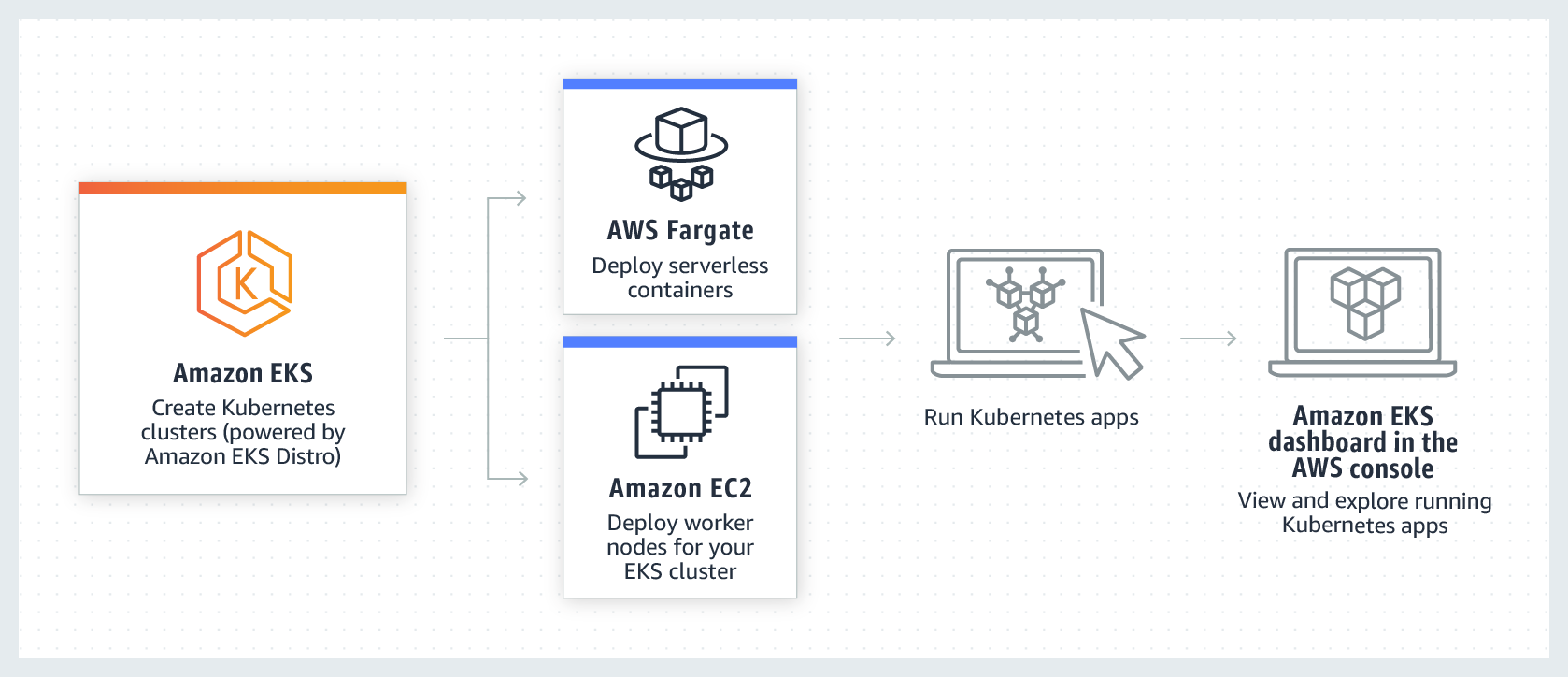
Node Types
- Managed Node Groups - Provides node creation and management
- Self-Managed Nodes - Node creation by users
- AWS Fargate