Creating a dynamic web page using Spring internalizr (Gradle), IntelliJ, and AWS EC2 - Errors that occurred during 7-step deployment (steps 5 and 6)
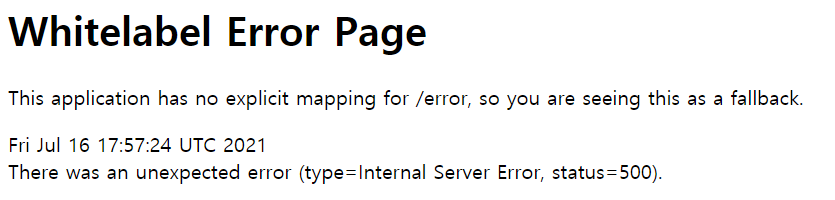
1. there was an unexpected error (type=internal server error status=500)
After deployment, a 500 error occurred while sending mail. The reason it was difficult to find the cause was because the error message did not appear. There were no errors in IntelliJ or developer tools.
After creating the war file, I decided to look at the error log because it seemed like the mail sending logic was not being performed properly during the distribution process.
The current server environment is Ubuntu 20.04 and tomcat9 version. I tried to view the error log using the tail command, such as tail -f /usr/local/tomcat/logs/catalina.out, but it did not apply, and the message “path or directory does not exist” appeared, so I was worried.
I found the 스택오버플로우 answer I wanted by looking at the log using journalctl. I checked the tomcat log as indicated in the answer, but it did not appear, so I checked the entire real-time log with journalctl -f. As a result, it was confirmed that an error occurred during the javax.mail transmission process, as expected.
The part that wasn't recognized was the transmission ID and password in the properties section, but it seemed like it wasn't recognized properly while distributing it as a war file. So, to ensure that I could get the value, I brought the value as @value in the controller part and assigned it directly. As a result, we were able to resolve the error in the dynamic service (mail transmission) part.
2. "PuTTY Fatal Error: Disconnected: No supported authentication methods available (server sent: publickey) OK
After updating Windows on July 19th, I kept getting an error saying the key was incorrect when connecting to the AWS server. I think I connected more than 100 times, but I didn't know what the problem was, so I issued a new key and converted it to PuTTY gen, but the same error occurred.
What is interesting is that it works in filezila, but does not connect in PuTTY. Due to time constraints, I reinstalled Ubuntu and connected, and it was resolved. I was frustrated because I didn't know the cause, but I think I did it thinking it was a review, perhaps because I've installed AWS about 5 times.
3. o.s.b.d.LoggingFailureAnalysisReporter
Since the error occurred due to an inability to connect to the DB, I was able to resolve it by entering spring.autoconfigure.exclude=org.springframework.boot.autoconfigure.jdbc.DataSourceAutoConfiguration in application.properties as per Google search results.
4. HikariPool
An error that can be resolved by reconnecting to the server. It is said to be a time jump issue that occurs in laptop sleep mode.
Other than that, it follows the Hikari CP provided by Spring Boot 2 to prevent connection leaks in the execution method, and can be set in properties.
5. War deployment problem in IntelliJ
At first, like in okky, I wanted to believe that it was not my problem. So I imported it again into STS, thought about whether it was a version issue, and made several attempts.
(1) When initially designing with Spring initializr, the problem was solved by setting packing with a war file.
Before that, I set the jar file packing, but (2) the problem can be solved by creating a war file using artifacts.
6. Permission denied when distributing war file
A permission setting problem occurred when deploying the war file to the tomcat webapps file. This problem can be solved by setting the permissions created when installing tomcat in the distribution unit during the explanation of this project stage. Grant webapps file management permissions to the ubuntu user with $ sudo su.
[CENTOS]How to view Tomcat log
File “catalina.out” not being created/populated when using Tomcat 9.0.31 + Ubuntu 20.04
[Spring] o.s.b.d.LoggingFailureAnalysisReporter error resolution
HikariPool - Thread starvation or clock leak detected message
Spring Boot: Detecting Connection Leak
[Ubuntu] Solving permission issues when uploading files from Ubuntu server