Creating a dynamic web page using Spring intializr (Gradle), IntelliJ, and AWS EC2 - 3 steps Thymeleaf mail sending
0. Let’s send an email!
An email function was added to add a popul to the page structure such as Contact Us, a service commonly used when visiting web pages.
There was a lot of trial and error, so I'll have to keep that in mind while reorganizing.
1. Processing mail transmission using thymeleaf
There were so many errors while sending and processing mail, and looking for the cause of the problem elsewhere cost me a lot of time. The errors that occurred are written below the dividing line. Here, let’s learn about basic mail sending processing!
1-1. Add dependency
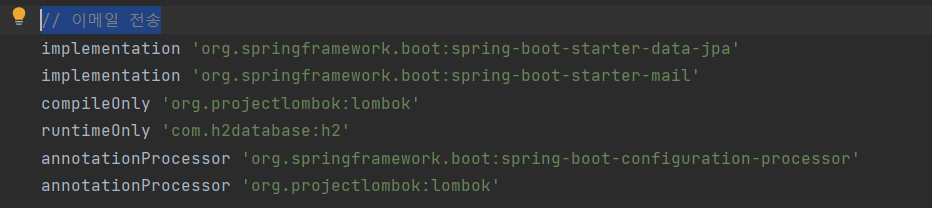
Since the setting environment is gradle, a dependency was added to .gradle as shown in the code below to add mail-related libraries.
starter-mail: This is a library added for the Java mail and Spring Framework mail transmission functions provided by Spring.
(If you google it, it explains adding spring-boot-starter-data-jpa and the security library, but the jpa dependency was not added because the popul you want to create requires only a simple transfer function without separate DB storage. There were various errors related to the security library, so it was not added.)
1-2. application settings
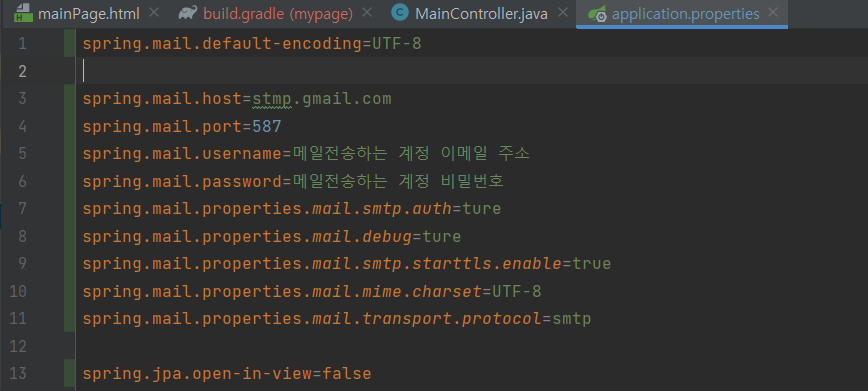
When configuring the settings for sending mail, configure the properties file with gitignore to protect personal information! Then, enter the address and password of the account sending the email in the photo below. The account to be entered must have its Gmail account security level lowered to be able to send emails.
The host settings below are stmp. If you try using googlemail.com, steps 3-5 below. Errors can be prevented! Be careful
1-3. Setting up mail organization method
Depending on how you send the email, you may be able to create pre-set text or a temporary password and apply it to the html file and send it. If the email content changes depending on what the user inputs, you will need to receive the content as th:name.
When using thymeleaf, there was a slight difference from the general form submission format, so it may be helpful to refer to the photo below.
In the html file, you must set the input value as th:name as shown below, and by surrounding the input value with a form tag, the parameter value can be passed to the Controller stage.
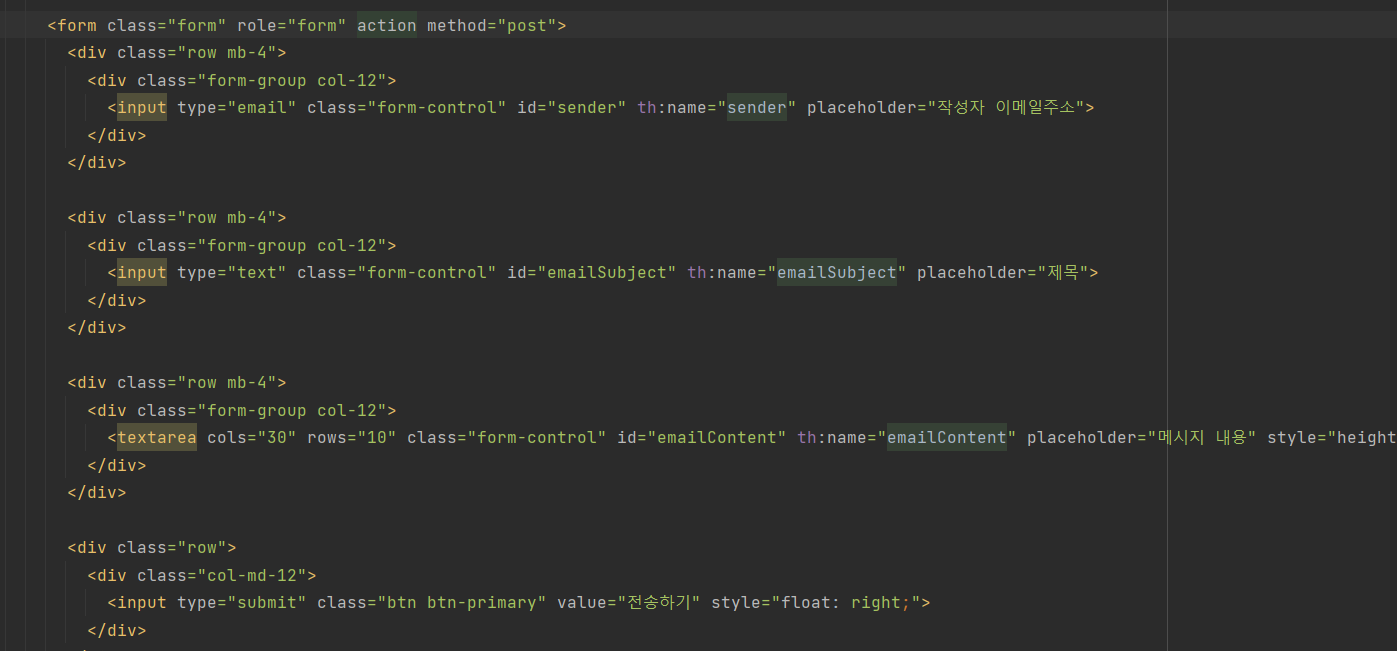
In this popul, there were no fixed values other than the mail sending account set in the application, and user input had to be received. You can see this by referring to the general contact us form Google image. So, we did not create a separate html file for sending mail, and made it possible to receive parameter values when the form is Post type.
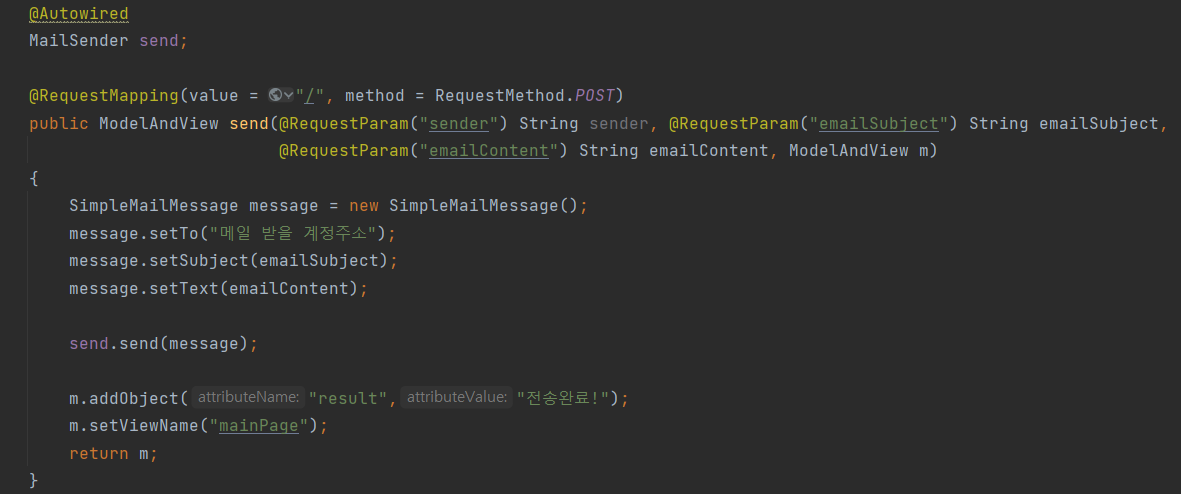
The value received from the view level with th:name can be received with @RequestParam("Key value").
Here, ModelAndView was added to receive the mail sender's address, mail subject, and contents, and to return to the mainPage stage after sending.

1-4. Writing mail transmission logic
If you look at Google, you can see that in addition to the MainController file, a java file that performs a service stage or separate control function has been created. In fact, I think that is the correct writing and a necessary configuration for a web page with multiple functions. However, since this website has no function other than sending mail, I first gave the MailSender function to the MainController and added the @Autowired annotation.
2. Email sent
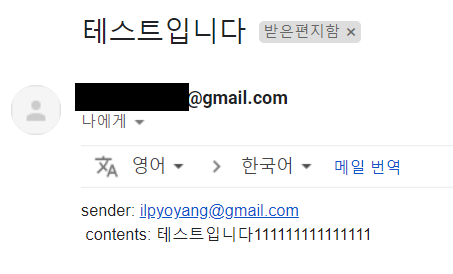
+ Let's solve the error ;)
| [intellij] No candidates found for method call plugins when using Gradle. How to resolve the error
| IntelliJ cannot resolve symbol.. error
| SPRING.JPA.OPEN-IN-VIEW Resolving log errors
| What is this spring.jpa.open-in-view=true property in Spring Boot?
| tomcat7.x JAVA_OPTS settings and User settings
| Why does Spring Boot use /dev/./urandom when starting?
| Tomcat /dev/urandom blocking issue (delayed start issue) when running
| [Spring] Implementing login/logout using Spring Boot + Gradle + Security - Part 1
3-1. Library reflection problem
There are times when intelliJ does not reflect properly during the process of adding and deleting dependency libraries. Even if you reconnect the server, the problem remains the same!
Let's delete the cache and restart through File > Invalidate Caches / Restart. I've had 3 cases of blockage this way, and all of them were resolved!
3-2. log error
aWebConfiguration$JpaWebMvcConfiguration : spring.jpa.open-in-view is enabled by default. Therefore, database queries may be performed during view rendering. Explicitly configure spring.jpa.open-in-view to disable this warning
If this error occurs, change the spring.jpa.open-in-view setting from true to false!
Add the code spring.jpa.open-in-view=false to application.propertiest. This is how you solve it!
3-3. Tomcat running error
Creation of SecureRandom instance for session ID generation using \[SHA1PRNG\] took \[xxxxxxx] milliseconds.
The problem arose because the response time was long.

It is important to note that the methods provided by Google are different for Linux and Windows.
Linux suggests changing the catalina.sh file in the Apache installation path (C:\apache-tomcat-8.5.63\bin on my computer).
JAVA_OPTS="$JAVA_OPTS -Djava.security.egd=file:/dev/./urandom"
In a Windows environment, add environment variables as follows.
Variable name (N): JAVA_OPTS Variable value (V): %JAVA_OPTS% -Djava.security.egd=file:/dev/./urandom
If this method doesn't work, try adding and editing the java.security file! (참조)
3-4. Remove login screen
This is a screen set by Spring for security purposes such as duplicate logins, which is based on starter-security among the dependency libraries. The dependent library was removed because it is not needed in this popul.
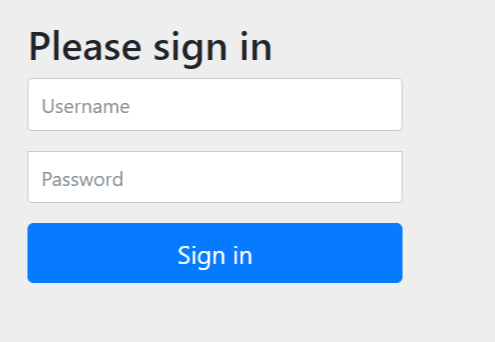
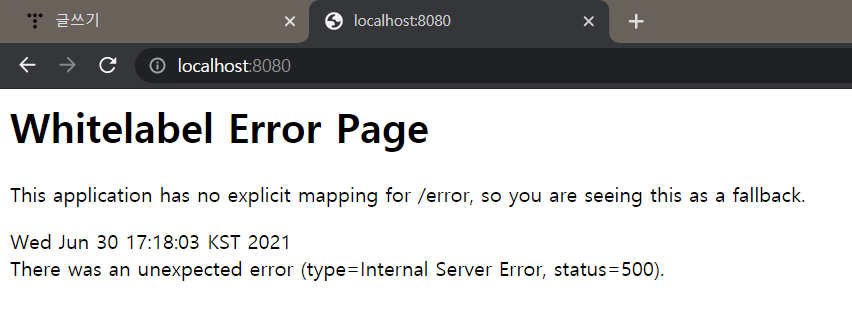
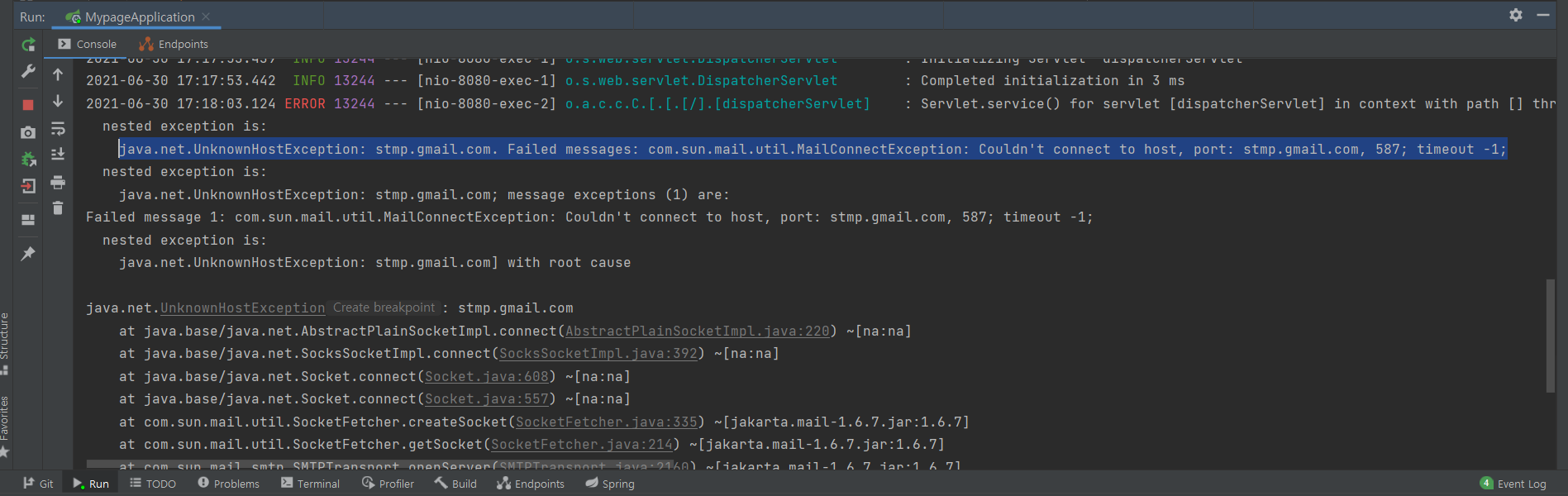
3-5. UnknownHostException
I think I tried all kinds of methods. I tried changing the port, changing the application.properties settings, and changing the Google mail security level. The problem lay elsewhere.
I was able to solve the problem by looking at the contents of stackoverflow.
Previously, application.properties was set to spring.mail.host=smtp.mail.com, but spring.mail.host=smtp. Changed to googlemail.com and it was resolved! Come to think of it, I used gmail.com in my previous Maven project, so I need to look more closely and code it.
| [SpringBoot] Thymeleaf를 이용한 이메일 전송 | org.springframework.boot:spring-boot-starter-mail:
| 06. Spring Boot - Java Mail Sender
| Spring Boot mail transfer: Spring Boot 2, Mail, Thymeleaf
| [Spring-Boot] About JavaMailSender
| Setting JPA-Hibernate with Spring boot (Part 1)
| SpringBoot: Setting up mail transmission using JavaMailSender
| 26. [springboot] Thymeleaf value transmission method basics
| Three ways to transmit values from HTML to Spring boot server with thymeleaf