31 posts
[오늘의코딩] Step8. 백엔드 - Redis Write-Through Caching 처리
JAVA 17, Spring Boot 3.0.2, Gradle, MySQL, Redis로 만드는
'오늘의코딩' 메일링 서비스

Write-Through 방식의 캐싱 전략을 가지고 가기로 했기 때문에 오늘은 Redis 에 MySQL 데이터를 업로드하는 방법을 적용했다. 실제 많은 기업에서 사용되기 때문에 대용량 데이터를 미리 Redis에 Push 처리하는 방식을 알아두자.
@RedisHash 테스트
테스트 해보기 전에..
이전에 데이터베이스 연결 테스트를 통해 redis랑 연결이 잘 되어 있다는 것을 확인했다. 혹시 연결이나 의존성 확인 필요하다면 아래 포스팅을 확인해보자.
2023.02.26 - [Project/오늘의 코딩 서비스 프로그램] - [오늘의코딩] Step3. 데이터베이스 연결
Redis에 데이터를 미리 Push 해놓기 위해서는 MySQL에서 데이터를 가지고 와서 Redis에 넣어주어야 한다. 이 때, 각 entity에는 Redis 와 연동될 수 있도록 아래와 같이 @RedisHash 어노테이션 처리를 해줘야 한다.
@Entity
@Table(name="CATEGORIES")
@RedisHash(value = "CATEGORIES")
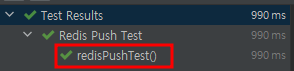
Redis 데이터 푸쉬 확인을 위해 아래처럼 테스트 코드를 작성해서 데이터가 바르게 들어가는 것을 확인했다.
package com.toco.trialService.connectionTest;

import com.fasterxml.jackson.core.JsonProcessingException;
import com.fasterxml.jackson.databind.ObjectMapper;
import com.fasterxml.jackson.datatype.jsr310.JavaTimeModule;
import com.toco.trialService.entity.Categories;
import com.toco.trialService.repository.CategoriesRepository;
import com.toco.trialService.repository.redis.CategoriesRedisRepository;
import io.lettuce.core.RedisClient;
import io.lettuce.core.api.StatefulRedisConnection;
import io.lettuce.core.api.sync.RedisCommands;
import org.junit.jupiter.api.AfterEach;
import org.junit.jupiter.api.BeforeEach;
import org.junit.jupiter.api.DisplayName;
import org.junit.jupiter.api.Test;
import org.junit.jupiter.api.extension.ExtendWith;
import org.springframework.beans.factory.annotation.Autowired;
import org.springframework.boot.test.autoconfigure.jdbc.AutoConfigureTestDatabase;
import org.springframework.boot.test.autoconfigure.orm.jpa.DataJpaTest;
import org.springframework.test.context.junit.jupiter.SpringExtension;

import java.util.List;

import static org.springframework.test.util.AssertionErrors.assertTrue;

@ExtendWith(SpringExtension.class)
@DataJpaTest
@DisplayName("Redis Push Test")
@AutoConfigureTestDatabase(replace = AutoConfigureTestDatabase.Replace.NONE)
public class RedisPushTest {
    @Autowired
    private CategoriesRepository categoriesRepository;

    @Autowired
    private CategoriesRedisRepository categoriesRedisRepository;

    private RedisClient redisClient;
    private StatefulRedisConnection connection;
    private RedisCommands redisCommands;

    @BeforeEach
    public void beforeConnectDatabase(){
        redisClient = RedisClient.create("redis://localhost:6379");
        connection = redisClient.connect();
        redisCommands = connection.sync();
    }

    @AfterEach
    public void afterConnectDatabase(){
        //redisCommands.expire("categories",10);
        connection.close();
        redisClient.shutdown();
    }

    @Test
    public void redisPushTest() throws JsonProcessingException {
        List categories = categoriesRepository.findAll();
        categoriesRedisRepository.saveAll(categories);
        assertTrue("TRUE", categories.equals(categoriesRedisRepository.findAll()));
    }
} 
이 코드에서는 @RedisHash를 이용한 entity로 값을 Redis에 넣어주었다.
테스트 과정에서 Object를 String으로 변경하는 작업을 해봤는데 jackson-datatype 역직렬화 문제가 있었다. 혹시 json으로 데이터를 넣고 싶어하는 분들을 위해 해결방안을 아래 포스팅에서 상세하게 작성했다. 같은 문제를 겪는 분들에게 도움이 되길 바라며..
노노노논 Redis Caching 전략에 따른 고찰
Caching 전략으로 이걸 사용하는게 맞을까?
프로젝트를 만들면서 이런 고민을 제일 많이 했던 것 같다.
Redis Caching을 어떻게 활용할 것인가에 대한 고민이 많았다. 현업과 서비스에 따라 방식이 달라져야겠지만, 지금 만들고자 하는 프로젝트는 동시성을 제공해야 하며 데이터 유실을 최대한 막고 싶었고 그래서 선택하게 된 방식이 Write-Through 였다.
하지만 Write-Behind 방식도 있고, 이 경우에는 대용량 서비스 처리에서는 유실가능성을 고려해야한다. RDBMS Data가 최신이 아닐 수 있기 때문에 RDBMS Data를 in-memory 로 정기적으로 Pushing 처리해주는 방식을 같이 사용된다.
Caching 전략에 따라 불필요한 캐쉬 데이터를 가지고 있는 건 메모리 낭비로 이어질 수 있기 때문에 오히려 성능을 떨어뜨릴 수 있다.
따라서 적절한 TTL처리와 성능 개선에 필요한 주요데이터(UPDATE가 많이 발생하지 않는)만을 @RedisCache 처리해서 사용했다. 이번 프로젝트에서는 Program, ProgramDetail, Categories 처럼 update가 많지 않을 것으로 예상되는 항목만에만 적용했다.
Comments
No comments yet. Be the first!